Redesigned: Account settings, user profiles & the People directory
Big settings refresh: new account-settings workspace, redesigned integrations directory, and an interactive org/people view with inline role editing.
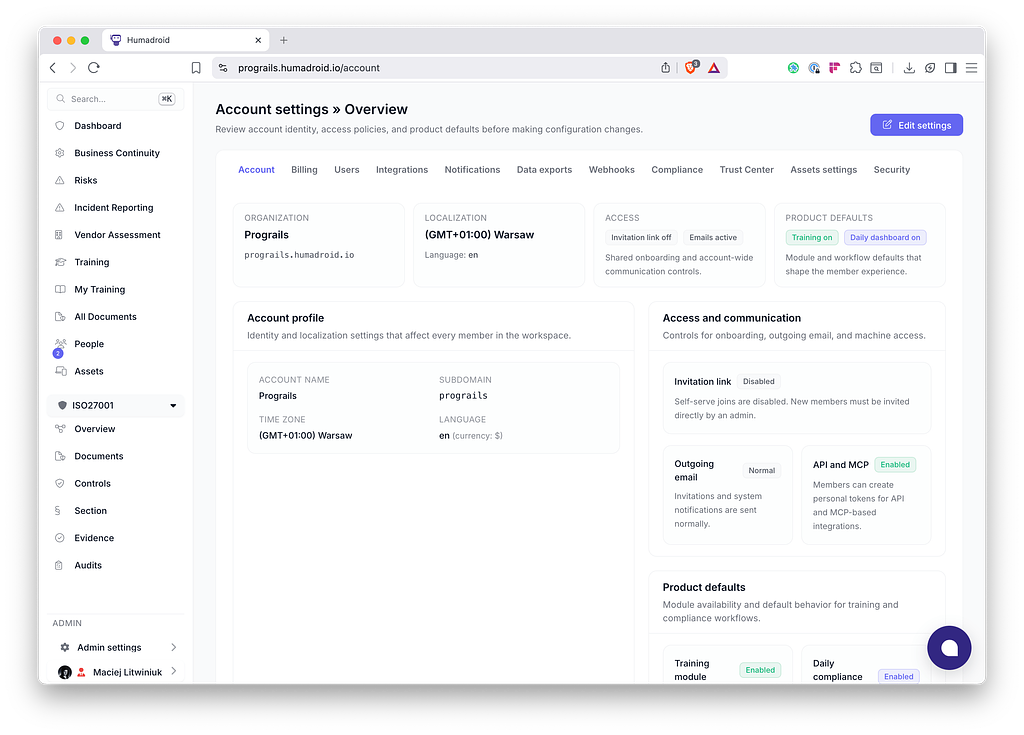
We've shipped a large refresh of Account Settings, User Profiles, and the People / Org view. The old screens had drifted — inconsistent titles, stacked fieldsets, actions buried in status, weak scanability once pages got operational. This lands a shared "settings
workspace" model across the whole area.
What's new
Account settings
- Summary-driven two-column layouts across Assets, Compliance, Security, and Integrations
- Page shell with purpose — Account settings »title, one-sentence purpose, one contextual control
- State before controls — top summary cards for the few signals that matter (counts, health, next milestone); operational status surfaced in the primary view instead of buried in forms
- Dense clarity over spacious simplicity — compact rows, restrained padding, badges instead of prose
- Destructive actions feel deliberate — confirmation on delete/cancel/disable/regenerate; danger-styled and placed after safer actions
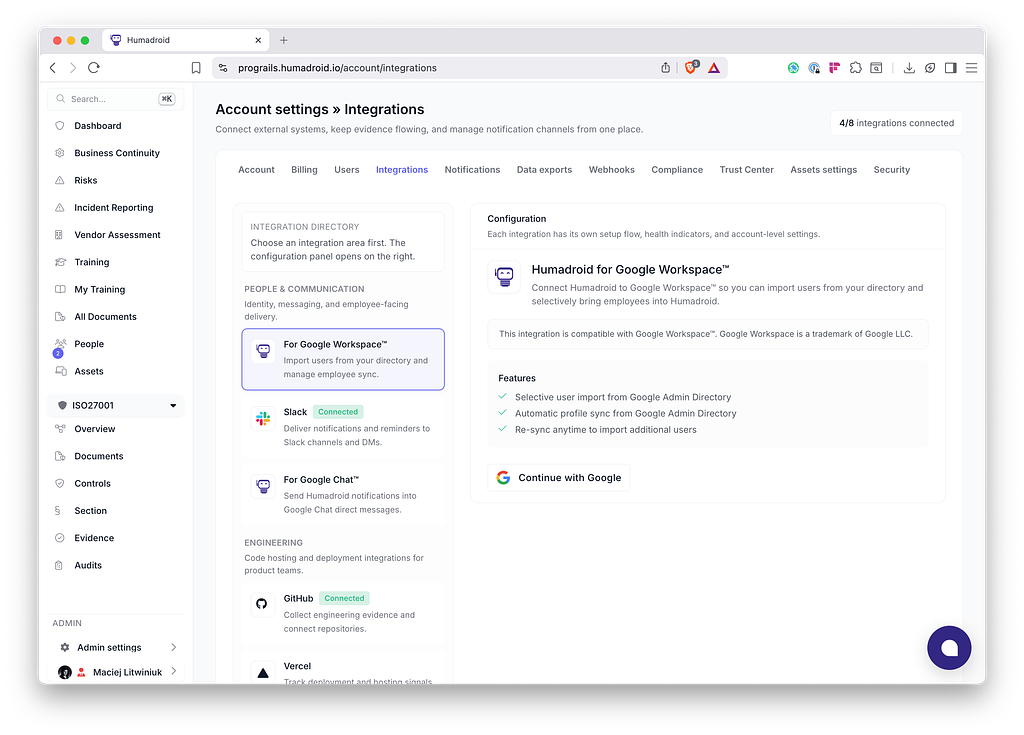
Integrations
- Directory + focused config panel replaces the horizontal tab strip
- Grouped by task (People & Communication, Engineering, Cloud & Infrastructure) with name + one-line purpose + health state visible in the directory
- URL-addressable selection via tab query param; semantic active state (aria-selected / aria-current) decoupled from DOM order
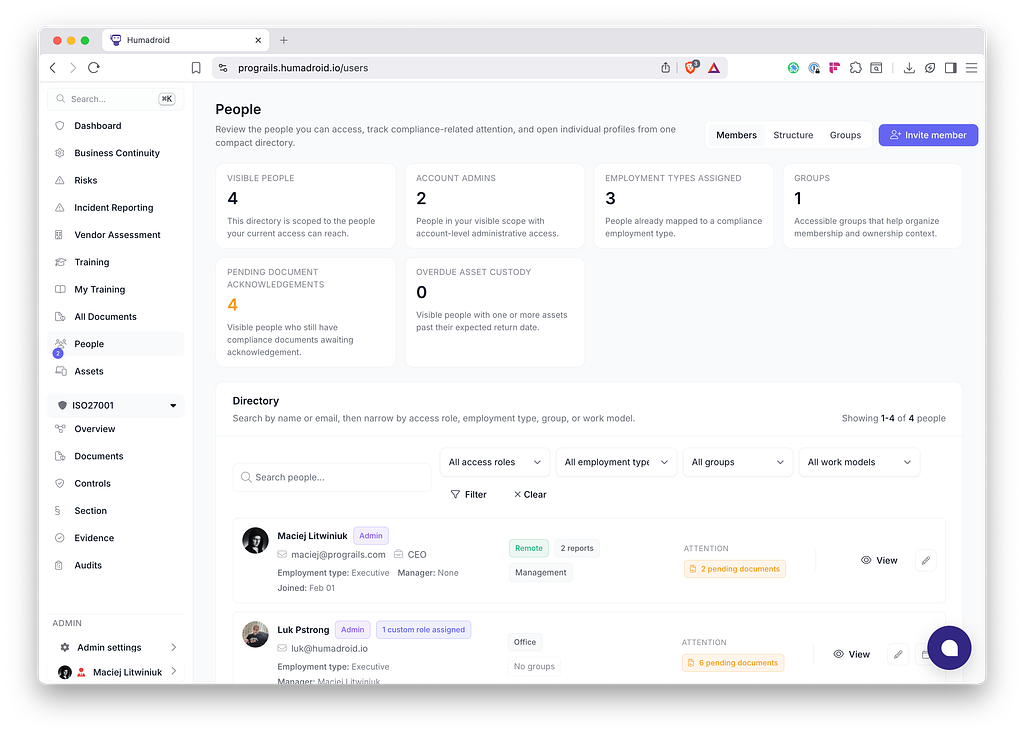
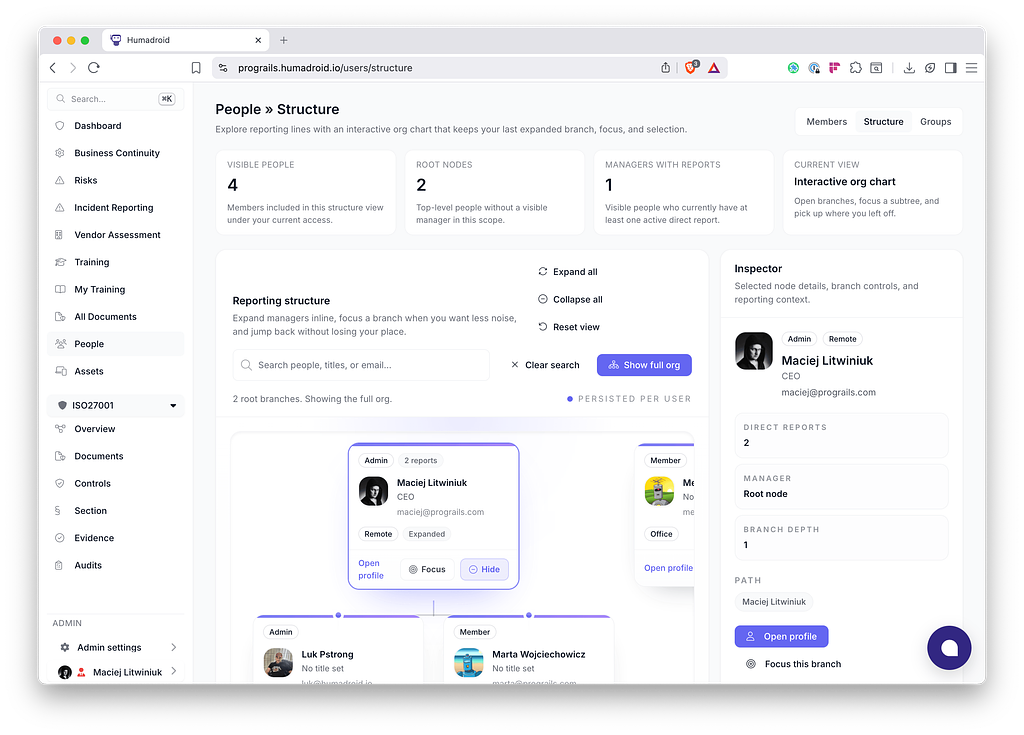
People & Org
- Interactive org/people view — search, expand/collapse, focus, inspector sidebar, animated org-chart
- Inline role editing on member cards via Turbo Frames (Hotwire-native, no custom client state)
- Redesigned member cards, groups, profiles
Other
- Data exports, webhooks, billing, and notifications pages reworked to the new pattern
- Dashboard widgets removed; post-sign-in now lands on the Compliance dashboard